

3D Design: Tools, Techniques, and Career Paths
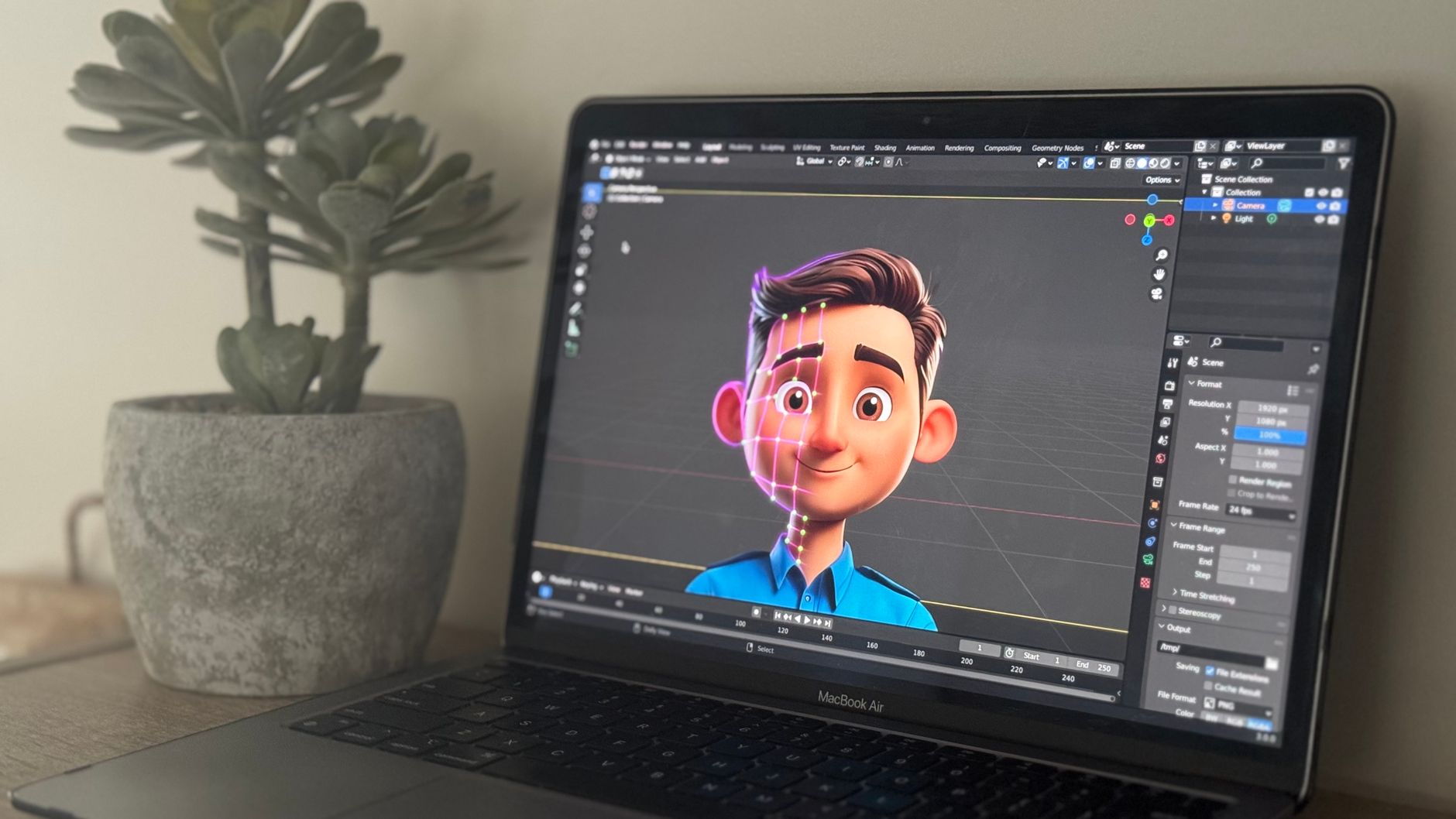
3D design spans product design, architecture, gaming, animation, and visualization. Tools include Blender (free, open source), Maya ($235/month), Cinema 4D ($94/month), Fusion 360 ($680/year), and ZBrush ($895 one-time). Real-time engines Unreal Engine 5 and Unity (free tier) integrate 3D for interactive experiences and games. The 3D printing boom created demand for printable model design—Formlabs and Prusa printers require watertight meshes. Industries from automotive (BMW, Tesla use 3D for prototyping) to healthcare (surgical planning, prosthetics) use 3D for prototyping, marketing, and training.
Careers range from freelance ($30–80/hour) to studio positions ($50,000–120,000 annually); remote work is common. The field continues to expand—metaverse, digital twins, and virtual production (LED volumes for The Mandalorian) are creating new applications. Nike uses 3D for shoe design; IKEA for furniture visualization. Medical 3D printing produces custom implants and surgical guides. The demand for 3D artists grows 10–15% annually according to industry reports.
Software by Discipline
Blender suits indie and hobbyists—full pipeline from modeling to render, free and open source. Maya and 3ds Max ($235/month each) dominate film and TV pipelines—used by Pixar, ILM, and major studios. Cinema 4D excels at motion graphics and broadcast; its MoGraph tools are industry standard. CAD tools: SolidWorks ($4,000/year), Fusion 360 ($680/year), Rhino ($995) serve engineering and product design. ZBrush excels at organic sculpting for characters and creatures. Game engines require optimized topology, LODs, and real-time materials. Architectural viz uses Revit, SketchUp ($299/year), and 3ds Max with V-Ray or Corona renderers. Choose tools based on your target industry and workflow.
Modeling, Texturing, and Rendering
Modeling creates geometry—polygonal, NURBS, or sculpted. Topology matters for animation and games; quads preferred over ngons. Retopology tools: ZRemesher in ZBrush, Quad Draw in Maya. Texturing adds color, roughness, and detail—Substance Painter ($240/year) and Photoshop are standards. Rendering: CPU renderers (Arnold, V-Ray) for quality; GPU (Octane, Redshift) for speed. Real-time rendering in Unreal and Unity enables interactive previews.
PBR (physically based rendering) is the standard for realistic materials—metallic/roughness workflow. Learning the pipeline—model, UV, texture, rig, animate, render—takes 6–18 months but opens diverse opportunities. UV mapping: unwrap your model so textures apply correctly; avoid overlapping UVs. Normal maps add detail without geometry. Displacement and height maps create surface variation. HDR environment maps for lighting produce realistic reflections.
Learning Paths and Careers
Online courses: CG Cookie ($29/month), Gnomon Workshop ($49/month), LinkedIn Learning ($40/month) teach fundamentals. Portfolio matters more than degree for freelance and many studio roles. Industries: game dev (Unity, Unreal), VFX (Maya, Houdini), product visualization (Keyshot, Blender), architectural viz (V-Ray, Enscape), 3D printing (Meshmixer, Blender). Remote freelance rates: $30–$80/hour depending on specialty—character artists command premium. Full-time roles at studios offer $50,000–120,000 plus benefits. Specialization—characters, environments, hard surface—increases employability. Start with Blender; build 5–10 portfolio pieces before applying.
Getting Started
Start with Blender—it's free and covers the full pipeline. Follow tutorials: Blender Guru's Donut, CG Geek's low-poly scenes. Build a portfolio with 5–10 strong pieces showcasing modeling, texturing, and rendering. Join communities: Blender Artists forum, Polycount, ArtStation. Consider formal education: Gnomon ($80,000 for 2-year program), SCAD ($40,000/year) for structured paths. The field continues to grow with gaming, metaverse, and digital twin applications. Commit to daily practice; progress compounds over 6–12 months.
Industry Applications
Gaming and VFX are the most visible applications. Product design: automotive (concept cars, interior mockups), consumer goods (packaging, product shots). Architecture: visualization for clients, BIM integration. Medical: surgical planning (Materialise, 3D Systems), prosthetics, anatomical models. Manufacturing: CNC toolpaths, 3D printing (Formlabs, Stratasys). Each industry has specific tools and workflows.
Skills transfer across industries—modeling fundamentals apply everywhere. 3D is a foundational skill for the future of design, visualization, and digital fabrication. Virtual production (The Volume, LED walls) replaces green screen—used in The Mandalorian, 1899. Real estate uses 3D tours for listings. E-commerce needs product renders when photography isn't feasible. The metaverse and AR/VR drive demand for 3D environments and avatars. Job boards: ArtStation Jobs, LinkedIn, Glassdoor. Build a specialized portfolio—generalists have a harder time than specialists in characters, environments, or product viz.
Common Beginner Mistakes
Starting with overly complex projects leads to frustration—begin with simple objects (mug, chair, room). Neglecting topology and UV mapping causes problems later; learn proper edge flow early. Skipping fundamentals for advanced techniques—master box modeling before sculpting. Not saving iterations; save versions (project_v01, project_v02) to avoid losing work. Ignoring reference—use PureRef or similar to gather references before modeling.
Freelance platforms: Upwork, Fiverr, 99designs. Rates: 30-50/hour for beginners, 75-150 for experienced. Studios hire through referrals and portfolio reviews. Attend SIGGRAPH, GDC, or local meetups to network. The 3D industry values both technical skill and artistic eye.
Hard surface modeling (cars, props) differs from organic (characters, creatures)—each has different topology rules. Game assets need LODs (Level of Detail) for performance; film assets can be denser. UV unwrapping before texturing is non-negotiable; bad UVs cause stretching and wasted texture space. The field rewards both artistic vision and technical proficiency. Start with a clear discipline in mind, build a portfolio, and engage with the community. ArtStation and Behance host portfolios; LinkedIn connects you to studios and clients.